Going back to a restore point
SakuraOS takes a restore point before every system update, and whenever a program from the SakuraOS source or the AUR is installed or removed. If something goes wrong, you can put the system back the way it was at any of them, even if the computer will no longer start.
What going back does
- Programs, updates and system settings return to how they were at that point. Anything installed or changed since is undone.
- Your files are not affected. Documents, photos, downloads and everything else in your home folder stay exactly as they are.
- Nothing is deleted straight away. The system you went back from is kept on the disk for 30 days, in case going back was the wrong call.
- A password changed since that point goes back to the old one.
SakuraOS keeps roughly the ten most recent restore points and removes older ones automatically.
If the computer starts
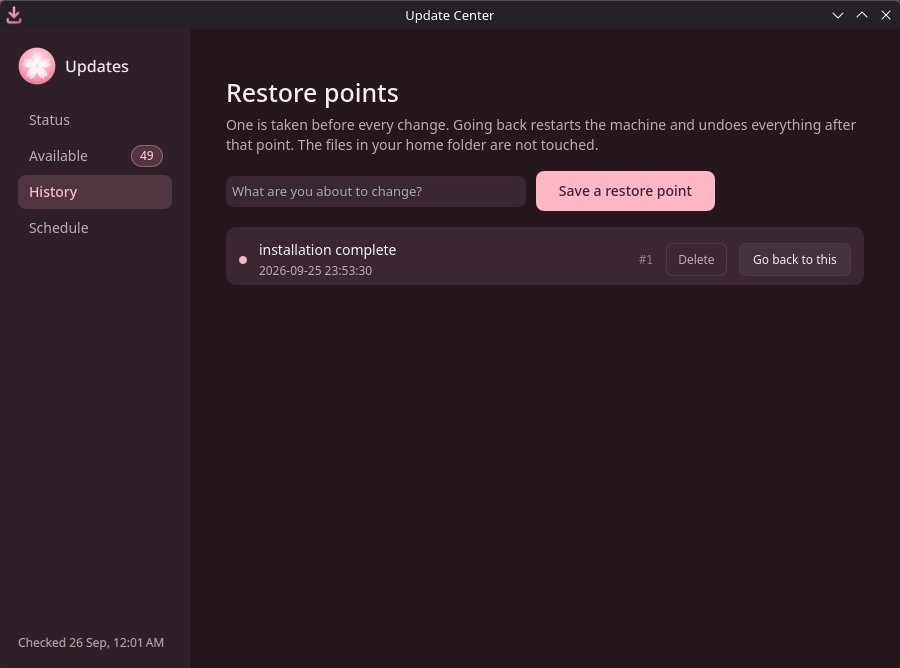
Open the Update Center and go to History. Restore points are listed newest first, with the date and what was about to happen, for example before installing 18 updates.
Choose the one from just before the problem started, and press Go back to this.
Read the confirmation and press Restart and go back. Type your password if asked.
The computer restarts, puts the system back, and starts normally.
If the computer does not start
Turn the computer on. When the SakuraOS menu appears, press ↓ within 3 seconds to stop the countdown.
Choose SakuraOS Recovery and press Enter.
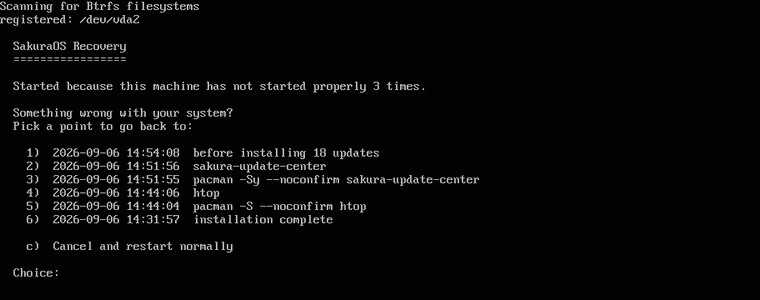
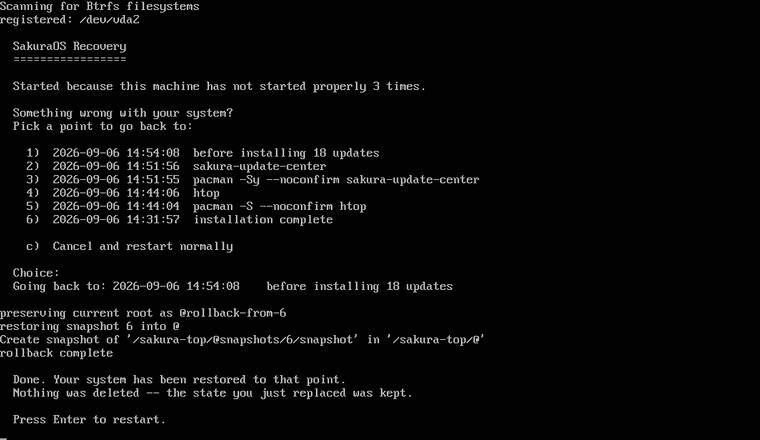
A list of restore points appears. Type the number of the one to go back to, and press Enter. To leave without changing anything, type c and press Enter.
When it says Done. Your system has been restored to that point, press Enter to restart.
If the menu does not appear
If the computer fails to start three times in a row, the recovery screen opens by itself on the next start. Turning the computer off while it is stuck counts as a failed start.
Saving a restore point yourself
Before a change you are unsure about, open the Update Center's History tab, type what you are about to do, and press Save a restore point.
Things to know
- After going back across a kernel update, the computer may restart once more by itself while it sets up the matching kernel. This is normal.
- If the problem comes back after going back, the update that caused it will be installed again at night. Turn off automatic updates in SakuraOS settings until it is fixed, and report the problem.
- Restore points are not backups. They are on the same disk as the system. See Backups.
How restore points and recovery work underneath is described in How restore points work.
Last checked against the SakuraOS release of 3 October 2026. If your system behaves differently from this page, the page is wrong: please report it.